🗂️
Field-Level Mapping
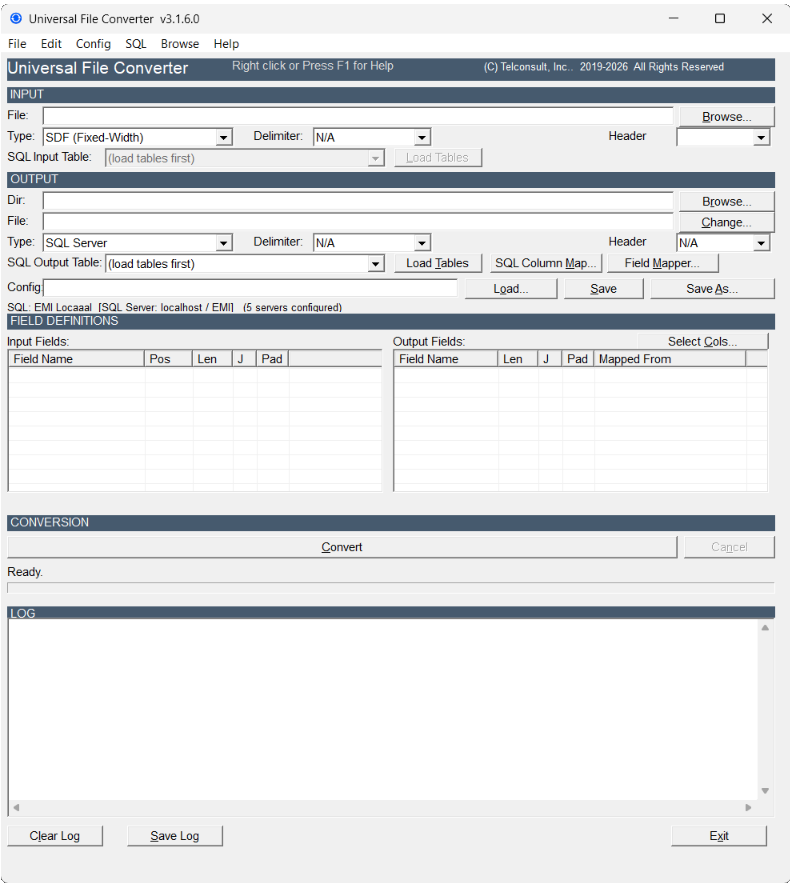
Map any input field to any output field. Auto-map by name, or assign manually. Handles truncation, padding, and 10-character DBF name limits automatically.
🧮
CALC Expressions
Build derived fields with inline expressions: arithmetic, string concatenation, conditionals with IIf(), and zero-padding for numeric results.
⏭️
Skip Rules
Filter records before conversion. Match on equals, not-equals, LIKE patterns, numeric comparisons, or EMPTY fields. Combine rules with AND / OR logic.
🗄️
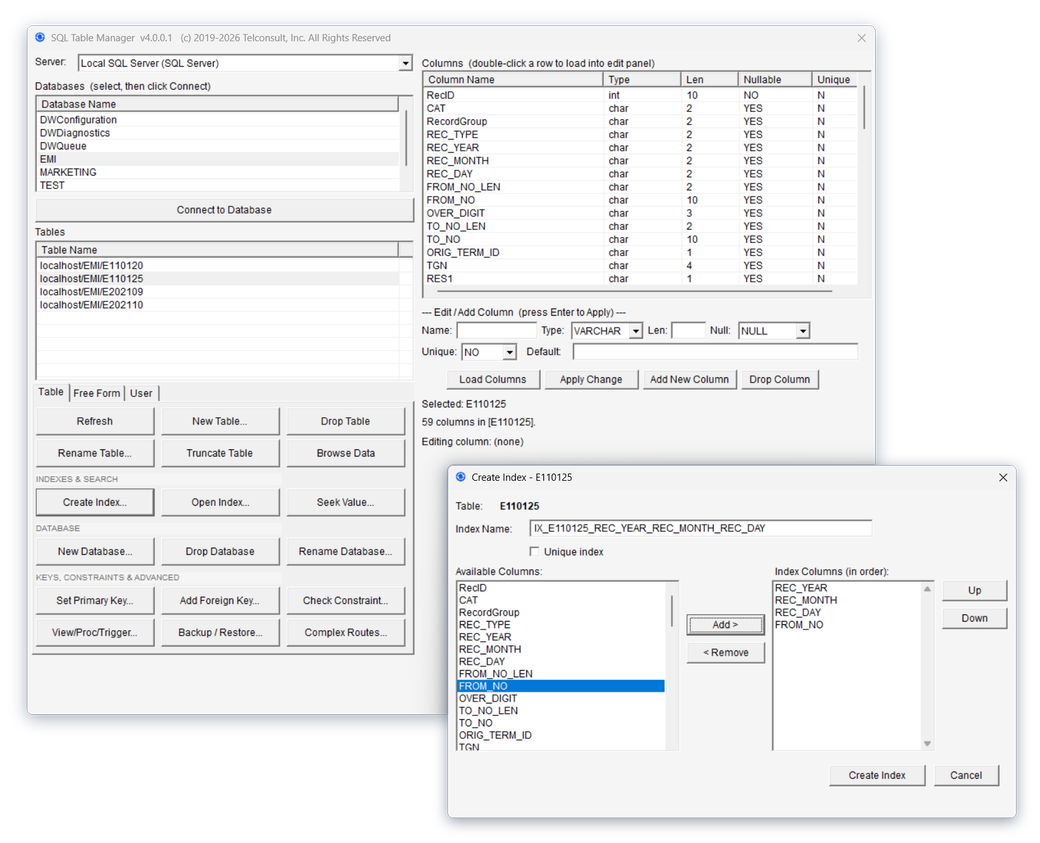
SQL Table Manager
Create, drop, rename, and truncate tables visually across SQL Server, MySQL, and PostgreSQL. Manage indexes, set column constraints, view, insert, update and delete records, copy tables between connections, and execute free-form SQL — with a production-server flag that makes destructive actions need a typed confirmation. No SSMS or external tool required.
📋
Config Manager
Save, organize, and reuse conversion configurations as .cfg files. Create new configs, import from emigui, and edit field layouts in the built-in editor.
🔀
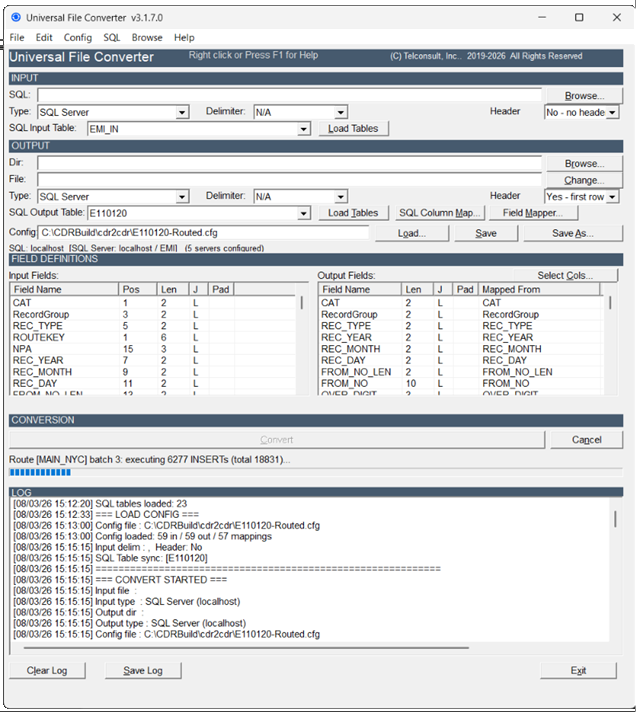
Complex Routing NEW v4
One pass, every destination. Route records from a single source to multiple SQL servers based on any field value — region, claim type, status code, or any business key. Each destination gets its own connection, SQL dialect, table, and field mapping. No scripting, no reruns.
🐘
PostgreSQL Support NEW v4
Universal File Converter now supports three SQL engines: SQL Server, MySQL, and PostgreSQL. Read from or write to PostgreSQL tables with the same visual workflow used for every other format — including as a Complex Routing destination.
⌨️
Headless CLI SQL NEW v4
Run file-to-SQL and SQL-to-file conversions directly from the command line — no GUI required. Schedule conversions as Windows batch jobs or scripts against SQL Server, MySQL, or PostgreSQL. Ideal for service bureaus, developers, and automated data pipelines.
🏥
EDI X12 & COBOL Copybook NEW v4
Convert COBOL data files and EDI X12 in one step from the EDI & COBOL Conversion window. COBOL: choose the copybook and the data file, pick CSV, Excel, XML, DBF, fixed-width text or a SQL table, and convert — no manual field-position counting. EDI: choose the file, and the transaction type (835, 837, 834, 270/271, 276/277, 820, 810, 850, 856) is detected; each segment type is loaded into its own SQL table in SQL Server, MySQL or PostgreSQL, or written to a flat segment file. Includes EDI check, 997/999 acknowledgment and rebuild tools.
Full technical details →